Mastering Web Accessibility: A Guide to A11y and WCAG Compliance
Learn how to master web accessibility with this comprehensive guide on WCAG compliance and a11y best practices for developers.
In the realm of web development, ensuring your website is accessible to everyone isn't just a nice-to-have—it's essential. Not only does it enhance user experience, but it also expands your audience reach to include individuals with disabilities. Let's break down the essentials of web accessibility and explore best practices for achieving WCAG compliance.
 Photo by Lisa from Pexels on Pexels
Understanding Web Accessibility Standards
The Web Content Accessibility Guidelines (WCAG) are the gold standard for web accessibility. These guidelines outline how to make web content more accessible to people with various disabilities. By adhering to WCAG standards, we ensure that our websites provide equal access and equal opportunity to all users.
The WCAG standards are structured around four main principles: Perceivable, Operable, Understandable, and Robust (POUR). Each principle is supported by guidelines and success criteria to help developers implement accessible features.
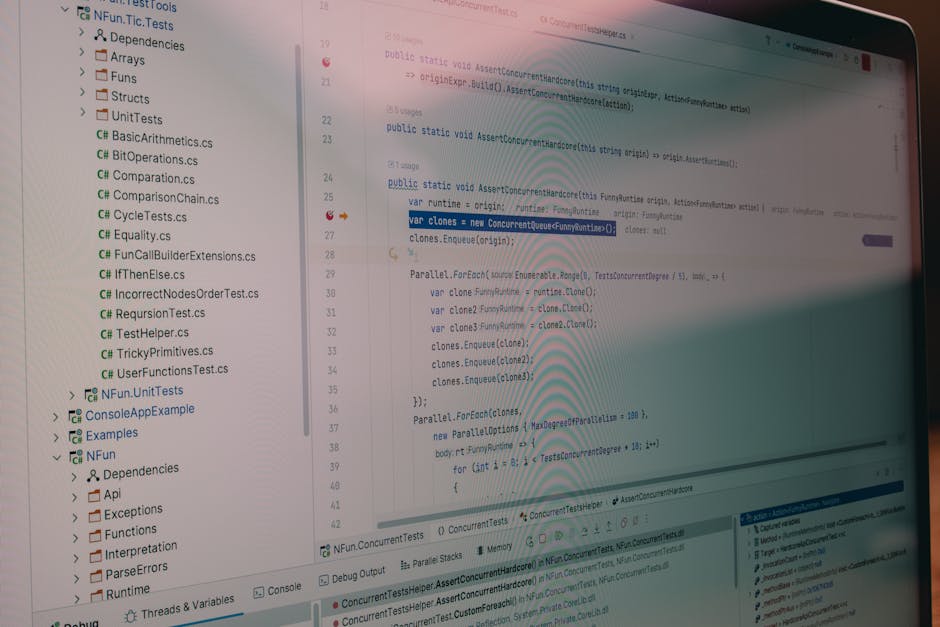 Photo by Daniil Komov on Pexels
Conducting a WCAG Compliance Audit
A crucial step in building accessible websites is performing a WCAG compliance audit. This process involves evaluating your website against the WCAG criteria to identify areas that need improvement. Here's a simple approach to conducting an audit:
-
Choose the Right Tools: Utilize tools like WAVE or Axe to automate the initial audit process. These tools can quickly highlight accessibility issues on your site.
-
Manual Testing: Automated tools aren't foolproof. Conduct manual testing to catch issues that automated tools might miss, such as keyboard navigation and screen reader compatibility.
-
Prioritize Issues: Not all accessibility issues are equally critical. Focus on fixing high-impact issues first, such as missing alt texts on images or improper heading structures.
-
Document and Iterate: Keep a detailed record of issues found and the steps taken to resolve them. Continuous improvement is key to maintaining an accessible website.
For developers interested in offering professional web accessibility audits, partnering with a digital agency specializing in web development services can provide valuable insights and expertise.
 Photo by Mikael Blomkvist on Pexels
Web Accessibility Testing Tools
Testing is a vital part of web accessibility. Here are some of the most effective tools available:
- WAVE: Offers visual feedback about the accessibility of your web content.
- Axe: An open-source tool for accessibility testing in browsers.
- Lighthouse: A Google tool that can audit your website's accessibility alongside performance and SEO metrics.
These tools help streamline the accessibility testing process and ensure your website meets the necessary standards. For developers seeking to integrate testing into their workflow, exploring full-stack development practices can provide a comprehensive approach to maintaining quality in every aspect of web creation.
 Photo by MART PRODUCTION on Pexels
A11y Web Development Guidelines
Building accessible websites requires adherence to a set of guidelines that align with the WCAG standards. Here are some actionable guidelines:
Proper Use of Semantic HTML
Semantic HTML helps screen readers and other assistive technologies interpret your web content effectively. Use elements like <header>, <nav>, <section>, and <article> correctly to convey the structure of your page.
Alt Text for Images
Every image on your website should have an alt attribute. This text describes the image content to users who cannot see it. A good practice is to keep alt texts descriptive yet concise.
<img src="example.jpg" alt="A serene view of a mountain during sunset">
Keyboard Navigation
Ensure that all interactive elements on your page, such as links and forms, are accessible via keyboard. Test your website by navigating through it using only the Tab key to ensure everything is reachable and operable.
Color Contrast
WCAG requires a minimum contrast ratio of 4.5:1 for text and background colors. Use tools like the Contrast Checker to validate your website's color contrast levels.
Implementing ARIA Roles
ARIA (Accessible Rich Internet Applications) roles enhance the accessibility of web pages by providing additional attributes that define elements' purpose and state. These roles are especially important for complex UI components that aren't natively accessible.
For example, using ARIA roles to specify elements as button or alert can improve the experience for users relying on screen readers.
<div role="button" tabindex="0">Click Me</div>
Building Accessible Websites: A Practical Takeaway
Ultimately, building accessible websites is about creating an inclusive digital environment. By following the WCAG guidelines and implementing a robust accessibility testing routine, developers can ensure their websites are usable by everyone. Consider exploring business directories that focus on promoting inclusive businesses for ideas and inspiration.
With the ever-evolving landscape of web standards, staying informed and proactive in your approach to accessibility is crucial. Embrace the challenge, and you'll not only build better websites but also contribute to a more inclusive internet for all.
Keep reading
More articles you might find useful